ChatGPT New Version 2026: Amazing Features, Benefits and Complete Guide
News Orbit Wave October 5, 2026 0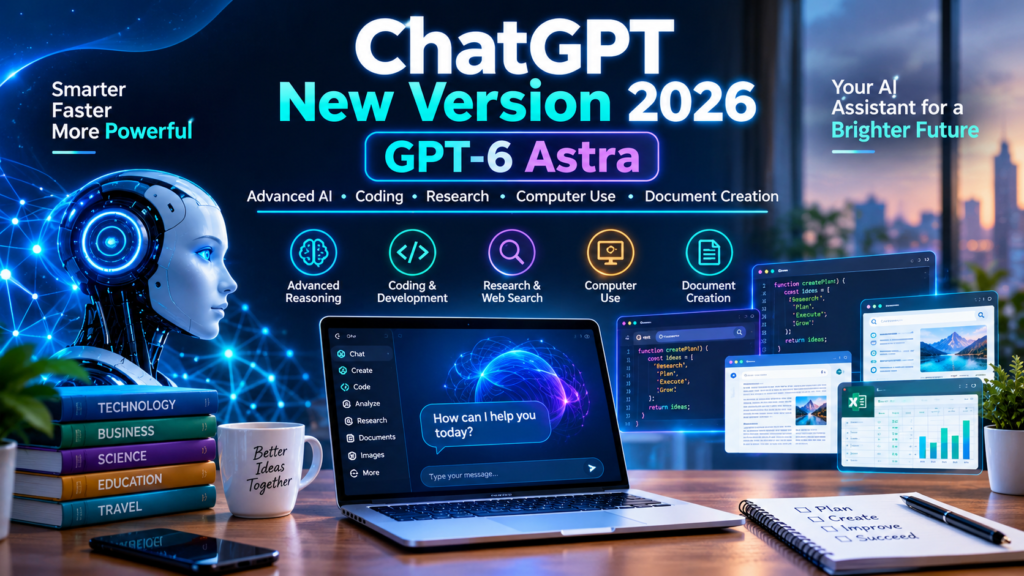
ChatGPT Image Oct 5, 2026, 06 12 06 PM
ChatGPT’s New Version 2026: Latest Features, AI Improvements, Benefits, and Complete Guide
Introduction: The New Era of Artificial Intelligence
Artificial intelligence is changing how people learn, work, communicate, and create content. Among the most popular AI tools is ChatGPT, developed by OpenAI. It helps users answer questions, write articles, understand complicated topics, analyze files, generate images, solve coding problems, and explore new ideas.
In 2026, ChatGPT continues to evolve with more advanced models, improved voice conversations, image-generation tools, research capabilities, and features designed to help people complete complex tasks. OpenAI’s official release notes also describe newer model options, including GPT-5.6 and the limited rollout of GPT-6 Astra. Availability varies by plan and account.
But what is actually new? How can students, bloggers, businesses, developers, and everyday users benefit? Are there any disadvantages?
In this complete guide, we will explore the latest developments in ChatGPT, its major capabilities, practical applications, benefits, limitations, and future possibilities.
1. What Is ChatGPT?
ChatGPT is an AI-powered assistant that understands questions and generates responses in natural language. You can interact with it by typing messages, and supported versions also offer voice conversations, image tools, and file analysis.
Unlike a traditional search engine that mainly directs you to webpages, ChatGPT can help explain information, organize ideas, summarize documents, draft emails, and work through problems in a conversational format.
For example, you can ask it to:
-
Write a professional blog post in English.
-
Explain a computer topic in simple Hindi.
-
Create a travel itinerary for a seven-day holiday.
-
Help debug a Python program.
-
Summarize a lengthy document.
-
Brainstorm a business plan or marketing campaign.
-
Analyze a spreadsheet or create a report.
ChatGPT is not a human and does not guarantee that every answer is correct. Its usefulness depends on the question, the available tools, the model being used, and the quality of the information provided.
2. What Is New in ChatGPT in 2026?

Some of the important developments documented in OpenAI’s official release notes include the following.
Newer AI models: GPT-5.6 and GPT-6 Astra represent developments in reasoning, coding, research, and handling complex tasks. GPT-6 Astra was announced with limited access rather than universal availability, so users should check their own model selector.
Improved image creation: ChatGPT Images 2.5 introduces image-generation and editing improvements, including more detailed results and additional ways to customize images.
More natural voice conversations: Newer voice capabilities support more natural back-and-forth interaction, with model and feature availability depending on the plan and platform.
Better work with files: ChatGPT can help analyze documents and spreadsheets, summarize information, and organize material for reports and presentations.
Expanded research and productivity tools: Depending on eligibility, users can access tools designed to research topics, work with connected files, and handle more involved projects.
Improved personalization: Memory and context features can help ChatGPT tailor responses when enabled and available.
These developments are important because they move AI assistance beyond simple question-and-answer conversations toward practical work, research, and content creation.
3. Major Features of the New ChatGPT

1. Advanced reasoning and problem-solving
Newer models are designed to handle complicated questions, compare alternatives, follow detailed instructions, and work through multi-step problems. This can be useful for mathematics, programming, planning, research, and business analysis. More reasoning does not mean every answer is automatically correct, so important results should still be checked.

2. AI image generation and editing
ChatGPT can help turn written descriptions into visual concepts, create illustrations, and edit supported images. The Images 2.5 update announced in September 2026 introduced sharper detail and more precise editing. These tools can help bloggers, designers, teachers, and marketers produce visual material.

Supported voice modes let users speak instead of typing. This can make it easier to practise English, brainstorm ideas, ask questions while busy, or learn a new subject through conversation. The available models and voice limits depend on the account and device.

Users can upload supported files and ask questions about their contents. ChatGPT can help summarize reports, compare documents, interpret tables, explain spreadsheet trends, and organize findings. Check calculations and source data before using the results for important decisions.

Where web search is available, ChatGPT can look for current information and provide source links. Research features can also help organize findings into a structured report. Always check publication dates, source quality, and whether a source actually supports the claim being made.

ChatGPT can explain programming concepts, suggest code, troubleshoot errors, write tests, and help developers understand unfamiliar projects. Newer models are also being developed for more demanding coding and computer-use tasks, although access to advanced capabilities may be limited.
4. GPT-5.6 and GPT-6 Astra: Understanding the Newer Models

Model names can be confusing because ChatGPT is the product, while GPT model names identify the AI systems that power particular experiences.
GPT-5.6
OpenAI’s release notes describe updates to GPT-5.6, including improvements to factual reliability and response quality. They also document the rollout of GPT-5.6 Luna as the default model for Free and Go users in August 2026. Available options can vary depending on the account and subsequent product changes.
For everyday users, the practical goal is straightforward: obtain useful answers, understand complicated information, and complete tasks with fewer unnecessary steps.
GPT-6 Astra
OpenAI announced GPT-6 Astra on September 3, 2026, highlighting improvements in coding, research, computer use, and complex multi-step work. The announcement described a limited rollout to selected organizations, not immediate access for everyone.
These capabilities could help eligible users create documents, spreadsheets, and presentations based on instructions, while working through longer projects.
Important: Do not assume that every ChatGPT account includes every new model. The model selector in your account and the official release notes are the best places to confirm what you can use.
5. How to Use the Latest ChatGPT Version
Getting started is simple, even if you are new to artificial intelligence.
Step 1: Open the official website
Visit chatgpt.com using your browser, or use the official ChatGPT application for your device.
Step 2: Sign in or create an account
Follow the on-screen instructions. Some access options may be available without signing in, while other tools require an account.
Step 3: Check the available model
If your account has a model selector, review the available options and choose one suitable for your task. Not every model or setting is available on every plan.
Step 4: Enter a clear prompt
Explain what you want, the language you prefer, the amount of detail required, and the intended audience. You can ask follow-up questions to improve the answer.
Step 5: Review and verify the result
Check important facts, request corrections, and verify claims against reliable sources before publishing or making decisions.
6. How ChatGPT Can Help Students and Teachers
Education is one of the most useful areas for conversational AI. Students can use ChatGPT to understand subjects, practise languages, prepare revision notes, and identify areas where they need more explanation.
For example, a student could ask:
-
“Explain photosynthesis in simple English with examples.”
-
“Create 20 practice questions about computer fundamentals.”
-
“Help me understand this algebra problem step by step.”
-
“Correct the grammar in my paragraph and explain the mistakes.”
Teachers can use it to brainstorm classroom activities, create quizzes, develop lesson outlines, and adapt explanations for different learning levels.
However, students should not rely on AI to do all their thinking. They should verify answers, follow school rules on AI use, and make sure submitted assignments reflect their own understanding.
7. Benefits for Bloggers, Content Creators, and Website Owners

ChatGPT can be particularly useful for people running blogs and news websites. It can assist at multiple stages of the publishing process, from brainstorming a topic to preparing an article for publication.
For a website such as News Orbit Wave, potential uses include:
-
Topic research: Generate article ideas about technology, travel, movies, agriculture, finance, and current affairs.
-
Headline writing: Compare informative, engaging, and search-friendly title options.
-
Article outlines: Organize a topic into logical sections before writing the full article.
-
Editing: Improve grammar, readability, sentence structure, and clarity.
-
SEO support: Brainstorm focus keywords, meta descriptions, related phrases, and image alt text.
-
Visual planning: Create original feature-image concepts and illustrations.
-
Content repurposing: Turn an article into social media captions, short summaries, or newsletter drafts.
For example, you could prompt ChatGPT with:
“Write an original, detailed travel guide to Somnath in English, including historical attractions, travel tips, suggested itinerary, estimated expenses, an SEO title, a meta description, and a list of image ideas.”
This provides a useful starting point. Before publishing, add verified information, original insights, reliable references, and your own editorial judgement.
SEO warning: Using AI does not automatically improve Google rankings or guarantee AdSense approval. A successful website needs useful original content, accurate reporting, a good reader experience, and compliance with applicable search and advertising policies.
8. How Businesses Can Benefit from the New ChatGPT
Businesses increasingly use AI assistants to save time, organize information, and improve communication. ChatGPT can support small businesses as well as larger teams, depending on the tools and account permissions available.
Customer service: Draft answers to common customer questions, prepare support templates, and simplify complicated product instructions.
Marketing: Brainstorm campaign ideas, create advertising drafts, plan social media calendars, and tailor messaging to different audiences.
Business reports: Summarize documents, organize meeting notes, and help turn data into readable reports.
Planning and productivity: Break a large project into smaller tasks, develop checklists, and prepare project schedules.
Employee training: Explain workplace procedures and create practice exercises for new team members.
For example, a small online shop could ask ChatGPT to prepare a product description, draft a polite response to a customer complaint, and create a weekly social media plan.
However, businesses should protect confidential information, review AI-generated communications, and avoid giving automated tools permission to take consequential actions without suitable oversight.
9. Advantages and Disadvantages of ChatGPT
Every technology has strengths and weaknesses. Understanding both helps people use ChatGPT responsibly.
Advantages
-
Helps save time on routine tasks.
-
Explains complex topics in simple language.
-
Supports multiple languages.
-
Assists with writing and brainstorming.
-
Helps with coding and data analysis.
-
Offers image and voice tools where available.
-
Can adapt responses to clear instructions.
Disadvantages
-
Can produce incorrect or outdated facts.
-
May misunderstand unclear instructions.
-
Some features have usage limits or fees.
-
Generated content can sound generic.
-
Sensitive data requires careful handling.
-
AI output may contain bias or errors.
-
It cannot replace expert judgement.
One of the most important lessons is that a confident answer is not necessarily a correct answer. Use AI to assist your work, not to eliminate the need for checking facts and exercising judgement.
10. Is ChatGPT Free, or Do You Need a Paid Subscription?
ChatGPT offers different access options, and the features available to you can change over time.
Free access can be enough for everyday questions, learning, brainstorming, and some supported tools. Paid plans may offer higher usage limits, additional models, or expanded capabilities, depending on the plan and current availability.
Before upgrading, consider how frequently you use ChatGPT and which specific features you need. Someone who asks occasional questions may not need a paid plan, while a professional working with complex files or demanding projects may value additional capacity.
Check the official ChatGPT plans and pricing page for current plan details. Do not assume that every new model is automatically included in every subscription.
11. Privacy, Security, and Responsible AI Use
As ChatGPT becomes more capable, responsible use remains essential.
First, avoid sharing passwords, financial account credentials, private customer records, or confidential business information unless you understand and have approved the relevant data-handling arrangements.
Second, review your account’s data controls and memory settings. Features and controls vary, so check the current settings rather than assuming that every conversation is handled in exactly the same way.
Third, verify important information before acting on it. This is particularly important for health, legal, financial, scientific, and breaking-news topics.
Finally, use original thinking and proper attribution in published work. AI-generated text should be reviewed and edited, and any external sources used for factual claims should be checked and cited appropriately.
Responsible AI use protects both the user and the people who may rely on the information produced.
12. What Does the Future of ChatGPT Look Like?

The future of AI assistants may involve more natural conversations, improved reasoning, stronger connections with work tools, and better support for longer projects.
Developments such as advanced research, computer-use capabilities, file analysis, and project-based workflows point toward assistants that can help coordinate several steps rather than simply answer one question at a time. OpenAI’s announcements also show continued work on model capabilities and safety measures.
Potential future applications include:
-
More personalized learning experiences.
-
Better assistance with software development.
-
Easier creation of reports, presentations, and visual content.
-
More natural interactions across text, voice, and images.
-
Improved research and information organization.
-
Better integration with approved workplace tools.
These are possibilities, not guarantees. Future releases may change, features may be delayed, and access will depend on product decisions, technical progress, and safety testing.
The goal should not be to replace human creativity and judgement. Instead, AI can help people spend less time on repetitive work and more time on decisions, ideas, and meaningful activities.
13. Final Verdict: Is the New ChatGPT Worth Trying?
The latest developments in ChatGPT show how quickly artificial intelligence is becoming part of everyday life. From writing and education to coding, image creation, and business productivity, it offers a wide range of ways to work more efficiently.
Newer models and tools can make complex tasks easier, but the right choice depends on your needs. Students may benefit from explanations and practice questions, bloggers from writing and editing assistance, and businesses from document analysis and workflow support.
At the same time, users must understand the limitations. AI can make mistakes, subscription features vary, and important information needs verification.
The bottom line: ChatGPT is a powerful assistant when used thoughtfully. Explore the features available in your account, experiment with clear prompts, and use the results as a starting point for your own ideas and decisions.
As artificial intelligence continues to develop, learning how to use it effectively could become a valuable skill for students, professionals, creators, and business owners alike.